FM-1 firmware · 0.3.7
ESTAMPIE
A groovebox for lively medieval dance music: hurdy-gurdy, lutes, shawms and frame drums over drones, on four sequenced tracks in old modes and tunings.
- Made by
- Drew Robinson
- Released
- October 27, 2026
- Install
- On the FM-1 Firmware Hub · source on GitHub
- Scan
- Not scanned yet What we checked
- Last checked
- November 1, 2026
What ESTAMPIE does
- Thirteen engines cover hurdy-gurdy, bagpipe, lutes, harps, psalteries, recorders, organs, monks' chant, noise and synthesized drums.
- Four tracks each hold their own sequence of up to 64 steps with chords, ties, accents, slides, chance and ratchets.
- Arm REC and play to record live, overdubbing each pass, with knob moves kept as automation.
- Press PLAY and the TROTTO scene runs; SCENE also offers CRYPT, TAVERN, CHAPEL, BLANK and DUNGEON.
- ALGORITHM picks the track, PRESETS swaps its sound, SELECT sets tempo, and KNOB 1-4 shape the engine.
- Save four projects and 32 sounds, chain sections into songs, and back everything up through the web editor.
- USB-C carries MIDI both ways and the stereo output as an audio input, and MIDI IN takes a keyboard.
Its modes
- HOME
- Play from the keys with the engine's four main controls on KNOB 1-4 and the scope on screen.
- MIXER
- Set the selected track's level, pan, reverb send and mute.
- CLOCK
- Set the tempo, swing and whether the clock comes from inside, USB or the MIDI socket.
- KEYS
- Layer or split the keyboard so two tracks play together, with a split point and octave shift.
- ENV
- Shape attack, decay, sustain and release for the track's notes.
- LFO
- Set the rate, wave, phase and fade of the movement that drives pitch, filter, shape or loudness.
- FX
- Dial each track's distortion, chorus, delay and reverb sends, then reach the effects themselves.
- SCL
- Choose the root, scale and quantise mode so the keys play only the notes you want.
- SONG
- Chain up to sixteen rows of saved sections, choosing each track's pattern and how often it repeats.
- STEP
- Write notes, chords, ties, rests and accents into the selected track's piano roll or drum grid.
What Les checked
ESTAMPIE
StatusNot scanned yet
Les hasn't scanned this firmware yet.
Each firmware is its author's. Back up first, and install at your own risk. How Les scans firmware
Invite-only
Ask Les about your own setup
Say what you want to make and what else you use. Les gives you steps for your own gear, one at a time, and says why each one works.
To get an invite: leave your email, then join the Les Discord.
You’re invited to the FM-1 beta.
Free for testers.
 How to use grooves in Ableton 120:42 · 4 STEPS
 How to use the arpeggiator0:37 · 4 STEPS
 How to make a deep bass0:38 · 4 STEPS
 How to make an evolving pad0:44 · 4 STEPS
 How the Mod Matrix works0:39 · 3 STEPS
 How to morph between two versions of a pad0:40 · 4 STEPS
 How the two wave knobs on a PolyBrute oscillator work0:42 · 4 STEPS
 How to add swing0:34 · 2 STEPS
 How to change the bells on the FM-1 AMB-10:36 · 3 STEPS · AMB-1
 How to turn the FM-1 AMB-1 into a drone0:37 · 3 STEPS · AMB-1
 How to steer the melody on the FM-1 AMB-10:36 · 3 STEPS · AMB-1
 How to use the arpeggiator0:41 · 4 STEPS · STOCK
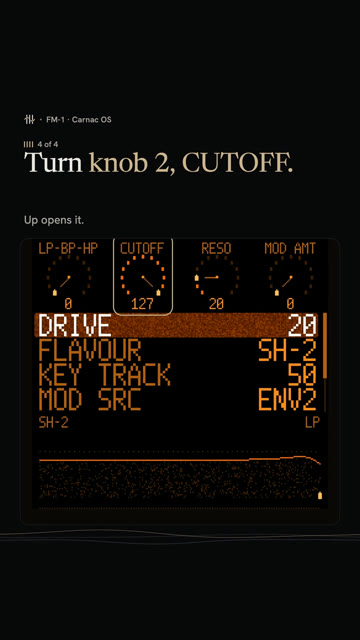 How to sweep the pad's filter in Carnac OS0:43 · 4 STEPS · CARNAC OS
 How to play a dominant 7th on the FM-1 with ChoralRoot0:33 · 3 STEPS · CHORALROOT
 How to play minor 9th chords with one finger on the FM-1 with ChoralRoot0:37 · 3 STEPS · CHORALROOT
 How to play a I-vi-IV-V on the FM-1 with ChoralRoot0:39 · 4 STEPS · CHORALROOT
 How to get the Casio CZ sound on the FM-1 with Melodee0:34 · 3 STEPS · MELODEE
 How to get a Prophet-5 sound on the FM-1 with Melodee0:40 · 4 STEPS · MELODEE
 How to record without quantize on the FM-1 with Melodee0:28 · 2 STEPS · MELODEE
 What every FM-1 control doesPick the firmware on yours, then tap any control to see what it does.
Stock V16Baud Girl 101Felucca v1.6.1SLOOP v2.7.1X0X v1.1.0JIANT v0.7.4-de2a4cbMelodee v1.4.1FoMni v0.4AMB-1 v1.2ChoralRoot v0.24GHOULBOX ghoulbox-v2.1M-VAVE FM-1 Open V12FM-106 Beta4Hortator drum-v0.16.0OberVave v1.4.2Polly v0.4.3Skiff v1.2sloopDX 4.0Rainbow Mode 1.1.5-rbDUELL beta v0.2.20-betaFiMba-1 beta v0.6.1MAKU maku-v1.0Fart Machine One V1.0.0fm1-chord v0.3SLOOP DX7 Banks v2.5-b28-testFuMi-1 fumi-1.0.7Jangada v1.0.1WaveLoop FM-1 1.0.5.2-midi23ORBIT v0.7.1SLOOP Floyd FM v2.4winampFM Synth v0.12Bubba Machine (beta) v0.8.0-betaFelucca [Salt] v0.9-salt14PIGEON v0.3.1FM1 Move 0.3.1FM1 Quest quest-38Groove OS 1.4Carnac OS v0.9.6
Printable panel labels for each firmwareSwitch firmware without losing your work How to add glide to one step0:38 · 3 STEPS
 How to play a random sequence0:28 · 2 STEPS
Les is independent and not affiliated with M-VAVE or the firmware authors. M-VAVE and FM-1 are trademarks of their owners.