FM-1 firmware · 0.6
CoralFlower
A chord instrument after the Orchid: each note becomes a chord over a bass, with an arpeggiator, a sequencer and a growing pixel flower.
- Made by
- FicusFicusov
- Released
- October 29, 2026
- Install
- On the FM-1 Firmware Hub · source on GitHub
- Scan
- Scanned, nothing harmful found · Nov 1 What we checked
- Last checked
- November 1, 2026
What CoralFlower does
- Press a chord key and every note you play becomes a full chord with a bass underneath.
- Choose major, minor, sus2, sus4 and major and minor 6, 7 and add9, and press two chord keys together to combine them.
- Around 60 sounds come from two engines, virtual analogue and FM, with separate lists for chords and basses and slowly moving pads.
- Two key layouts, Top and Side, each with a Lock mode that keeps a chord type after you tap it.
- The sequencer holds eight patterns of chords, bass, drums and a layer track, plus a song made from them.
- REC on the main screen records your playing into a new pattern after a one-bar count-in.
- Twenty-three ready-made rhythms in several time signatures play under your chords, with six new kits including X Lo-Fi and X Tech.
- Six effects run in an order you choose: filter, drive, chorus, phaser, delay and reverb.
Its modes
- HOME
- Play chords and set Quantize, Key, Scale and Glide while the plant grows on screen.
- SEL
- Edit the selected chord button's type, added degrees, inversion and which degree the bass plays.
- ENV
- Shape attack, decay, sustain and release for the chords and bass.
- LFO
- Turn the bass on or off and set its level, octave and octaver.
- EDIT
- Edit the sound itself, with per-operator and per-page parameters and SELECT for pages.
- GLO
- Set global options in grouped sections, including MIDI and accent colour themes.
- FX
- Pick filter, reverb, delay, distortion, chorus or phaser, set parameters and reorder the chain.
- SAVE
- Store your edited sounds.
- ARP
- Set up the arpeggiator across pages chosen with SELECT.
- SEQ
- Set metronome level and on/off, tempo and time signature, and reach the sequencer and rhythm machine.
What Les checked
CoralFlower v0.6.1Scanned November 1, 2026
What we checked for
- The file is exactly the one its author published
- It's the same file we saw when this release first came out
- It opens cleanly as an FM-1 firmware, nothing damaged
- It doesn't show up on your computer as a keyboard, mouse or other input device
- It doesn't show up as a USB drive or network adapter
- Its text mentions no computer command tools, like PowerShell, Terminal or a download command
What we found
- MIDI, as expected
- A serial port, which many FM-1 firmwares keep for debugging. It can't type into your computer.
StatusScanned, nothing harmful found
Each firmware is its author's. Back up first, and install at your own risk. How Les scans firmware
Invite-only
Ask Les about your own setup
Say what you want to make and what else you use. Les gives you steps for your own gear, one at a time, and says why each one works.
To get an invite: leave your email, then join the Les Discord.
You’re invited to the FM-1 beta.
Free for testers.
 How to use grooves in Ableton 120:42 · 4 STEPS
 How to use the arpeggiator0:37 · 4 STEPS
 How to make a deep bass0:38 · 4 STEPS
 How to make an evolving pad0:44 · 4 STEPS
 How the Mod Matrix works0:39 · 3 STEPS
 How to morph between two versions of a pad0:40 · 4 STEPS
 How the two wave knobs on a PolyBrute oscillator work0:42 · 4 STEPS
 How to add swing0:34 · 2 STEPS
 How to change the bells on the FM-1 AMB-10:36 · 3 STEPS · AMB-1
 How to turn the FM-1 AMB-1 into a drone0:37 · 3 STEPS · AMB-1
 How to steer the melody on the FM-1 AMB-10:36 · 3 STEPS · AMB-1
 How to use the arpeggiator0:41 · 4 STEPS · STOCK
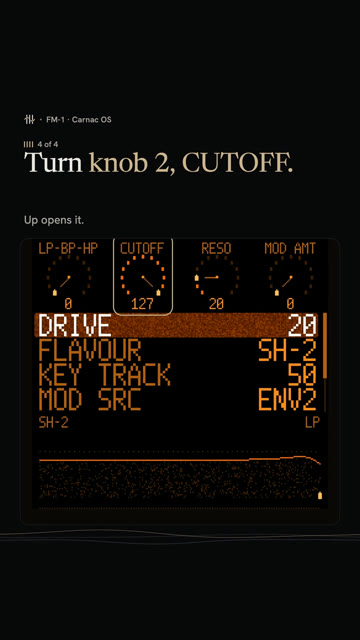 How to sweep the pad's filter in Carnac OS0:43 · 4 STEPS · CARNAC OS
 How to play a dominant 7th on the FM-1 with ChoralRoot0:33 · 3 STEPS · CHORALROOT
 How to play minor 9th chords with one finger on the FM-1 with ChoralRoot0:37 · 3 STEPS · CHORALROOT
 How to play a I-vi-IV-V on the FM-1 with ChoralRoot0:39 · 4 STEPS · CHORALROOT
 How to get the Casio CZ sound on the FM-1 with Melodee0:34 · 3 STEPS · MELODEE
 How to get a Prophet-5 sound on the FM-1 with Melodee0:40 · 4 STEPS · MELODEE
 How to record without quantize on the FM-1 with Melodee0:28 · 2 STEPS · MELODEE
 What every FM-1 control doesPick the firmware on yours, then tap any control to see what it does.
Stock V16Baud Girl 101Felucca v1.6.1SLOOP v2.7.1X0X v1.1.0JIANT v0.7.4-de2a4cbMelodee v1.4.1FoMni v0.4AMB-1 v1.2ChoralRoot v0.24GHOULBOX ghoulbox-v2.1M-VAVE FM-1 Open V12FM-106 Beta4Hortator drum-v0.16.0OberVave v1.4.2Polly v0.4.3Skiff v1.2sloopDX 4.0Rainbow Mode 1.1.5-rbDUELL beta v0.2.20-betaFiMba-1 beta v0.6.1MAKU maku-v1.0Fart Machine One V1.0.0fm1-chord v0.3SLOOP DX7 Banks v2.5-b28-testFuMi-1 fumi-1.0.7Jangada v1.0.1WaveLoop FM-1 1.0.5.2-midi23ORBIT v0.7.1SLOOP Floyd FM v2.4winampFM Synth v0.12Bubba Machine (beta) v0.8.0-betaFelucca [Salt] v0.9-salt14PIGEON v0.3.1FM1 Move 0.3.1FM1 Quest quest-38Groove OS 1.4Carnac OS v0.9.6
Printable panel labels for each firmwareSwitch firmware without losing your work How to add glide to one step0:38 · 3 STEPS
 How to play a random sequence0:28 · 2 STEPS
Les is independent and not affiliated with M-VAVE or the firmware authors. M-VAVE and FM-1 are trademarks of their owners.