How to make dungeon synth on the FM-1 with GHOULBOX
GHOULBOX is a firmware that turns the M-VAVE FM-1 into a dungeon-synth instrument: hurdy-gurdies and drones, crypt pads and monk choirs, organs, harps and recorders, all through a cathedral reverb and a worn cassette. Its BLANK scene keeps the sounds and clears the notes, for starting from nothing; three more steps add a cave wind, a low drone and a slow crypt pad over it.
Start from nothing, then add a cave, a drone and a crypt pad.
These steps are for GHOULBOX 2.4 on the FM-1. A new FM-1 switches on with GHOULBOX's DUNGEON scene ready: press PLAY and it plays, and the steps start there. If yours comes back with something else, hold HOME, set SYSTEM › SCENE to DUNGEON and RESTORE LAST to OFF, switch off and on, then set RESTORE LAST back to ON. BLANK replaces your four tracks, so save first if you want to keep them.
Four steps
Press PLAY to stop. Tap HOME until SCENES, then press C4: BLANK.
0:07Tap FX until TAPE, then turn KNOB3, AMB, all the way up. A cave wind, even when stopped.
0:13Turn ALGORITHM to track 4. Tap SAVE twice, turn KNOB1 to PEDAL, press OCT+, then PLAY.
0:18Turn ALGORITHM to track 2 and KNOB1 to DIRGE, then press OCT+.
0:27
A cave. A drone. A crypt pad.
Good to know
Leave it playing: the drone holds and the pad's pattern goes round and round. The cave wind plays even with the song stopped; turn AMB back down to quiet it. Two tracks are still empty, and the same PHRASES list fills them: BALLAD on track 1, the hurdy-gurdy, is a melody, and CHANT on track 3, the monks, is low voices, all in D minor like the rest. More on the FM-1 and its firmware: https://les.audio/guides/m-vave-fm-1. Les is independent and not affiliated with M-VAVE or the firmware's author.
Ask Les about your own setup
Say what you want to make and what else you use. Les gives you steps for your own gear, one at a time, and says why each one works.
To get an invite: leave your email, then join the Les Discord.
You’re invited to the FM-1 beta.
Free for testers.
 How to use grooves in Ableton 120:42 · 4 STEPS
 How to use the arpeggiator0:37 · 4 STEPS
 How to make a deep bass0:38 · 4 STEPS
 How to make an evolving pad0:44 · 4 STEPS
 How the Mod Matrix works0:39 · 3 STEPS
 How to morph between two versions of a pad0:40 · 4 STEPS
 How the two wave knobs on a PolyBrute oscillator work0:42 · 4 STEPS
 How to add swing0:34 · 2 STEPS
 How to change the bells on the FM-1 AMB-10:36 · 3 STEPS · AMB-1
 How to turn the FM-1 AMB-1 into a drone0:37 · 3 STEPS · AMB-1
 How to steer the melody on the FM-1 AMB-10:36 · 3 STEPS · AMB-1
 How to use the arpeggiator0:41 · 4 STEPS · STOCK
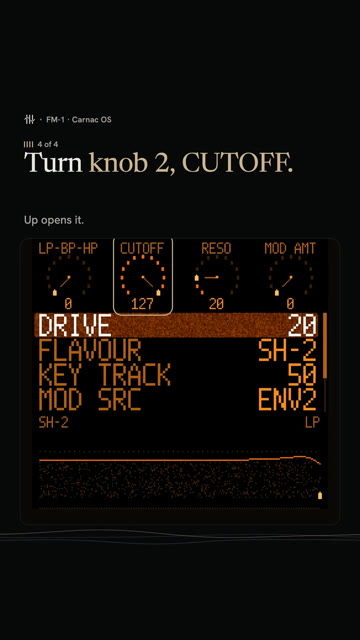 How to sweep the pad's filter in Carnac OS0:43 · 4 STEPS · CARNAC OS
 How to play a dominant 7th on the FM-1 with ChoralRoot0:33 · 3 STEPS · CHORALROOT
 How to play minor 9th chords with one finger on the FM-1 with ChoralRoot0:37 · 3 STEPS · CHORALROOT
 How to play a I-vi-IV-V on the FM-1 with ChoralRoot0:39 · 4 STEPS · CHORALROOT
 How to get the Casio CZ sound on the FM-1 with Melodee0:34 · 3 STEPS · MELODEE
 How to get a Prophet-5 sound on the FM-1 with Melodee0:40 · 4 STEPS · MELODEE
 How to record without quantize on the FM-1 with Melodee0:28 · 2 STEPS · MELODEE
 How to make dungeon synth on the FM-1 with GHOULBOX0:41 · 4 STEPS · GHOULBOX
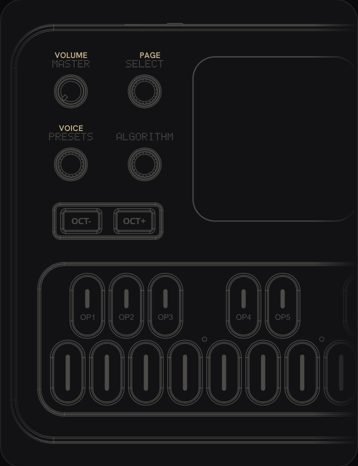 What every FM-1 control doesPick the firmware on yours, then tap any control to see what it does.
 How to add glide to one step0:38 · 3 STEPS
 How to play a random sequence0:28 · 2 STEPS
More for your FM-1
What every FM-1 control doesPick the firmware on yours, then tap any control to see what it does.